Rapid Web Prototyper was built to solve a real design workflow problem, and feedback from the people using it helps shape what comes next.
Need help or have a question?Contact Rapid Web Prototyper
VERSION 1.0
Prototype directly on the web page in front of you.
Rapid Web Prototyper (RWP) lets you make visual changes directly on an existing webpage so you can turn an idea into something people can see, click and discuss without rebuilding the page first.
This tutorial focuses on the working flow rather than technical implementation details. Most tasks begin the same way: turn RWP on, select an element, make the change, then save the prototype.
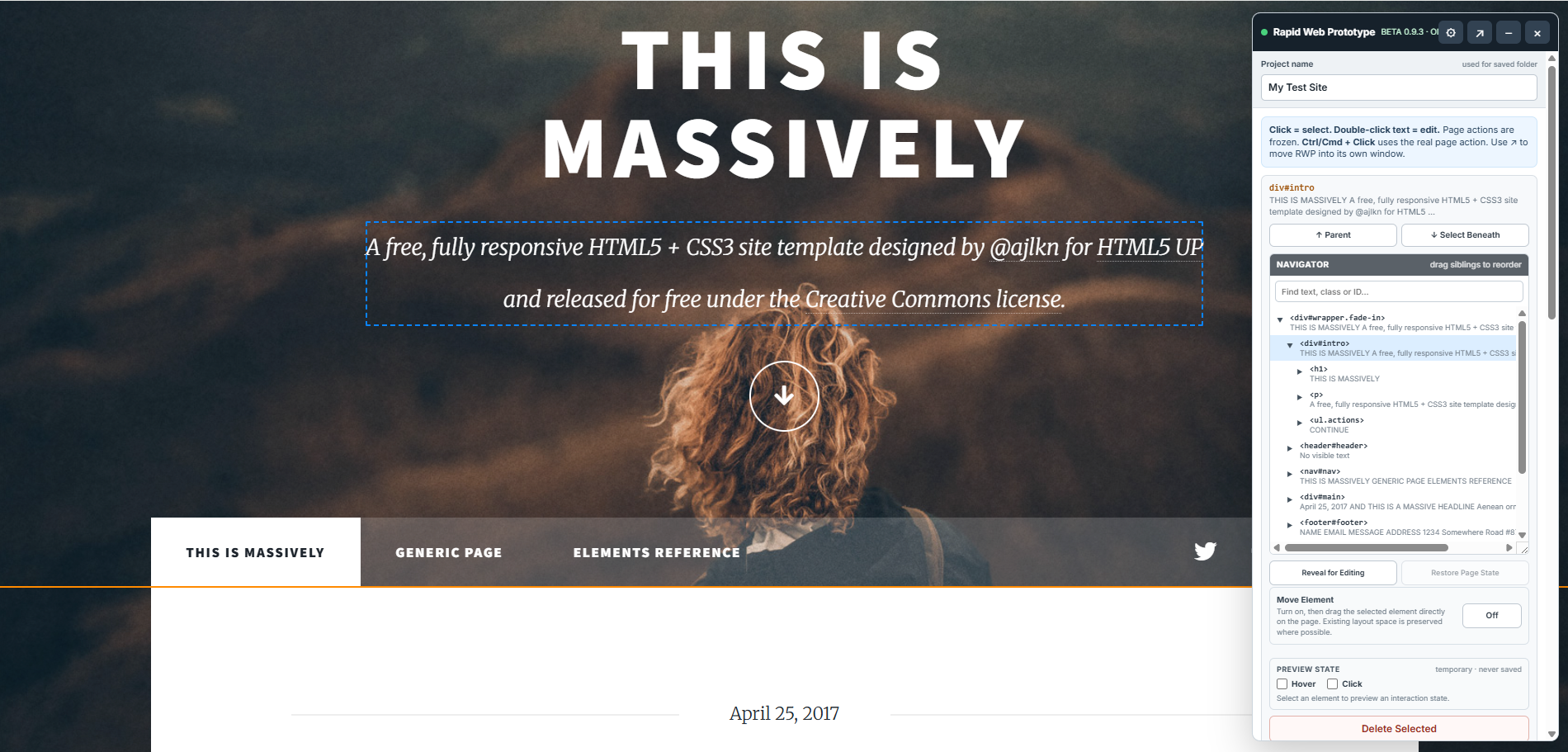
RWP is a visual prototyping tool for webpage elements the browser exposes in the current document. It is not a source-code or application-code editor.
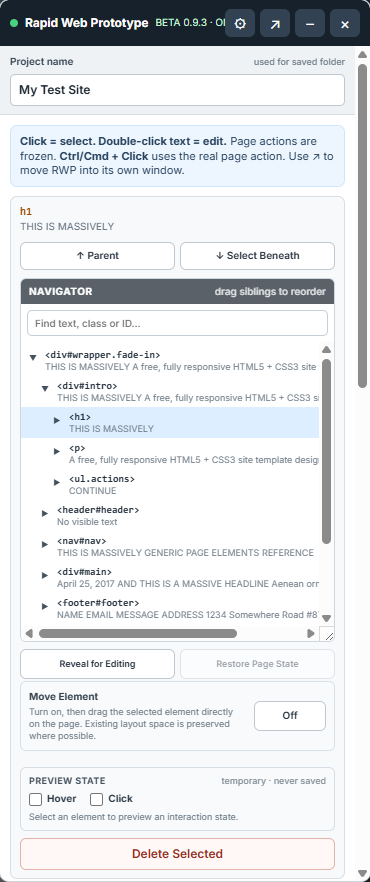
Click an element on the page to select it. RWP outlines what it is targeting and shows the selected element in the Navigator.
The Navigator helps you move through the page structure when clicking alone is not enough.
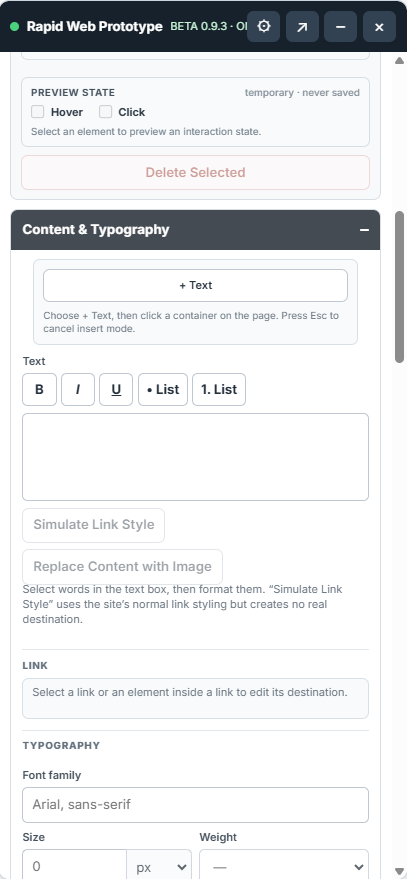
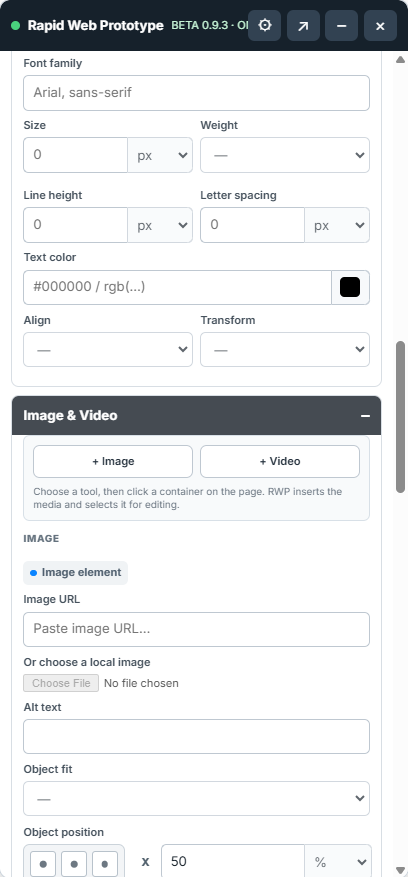
The Content & Typography section handles copy changes, text formatting and typography for the selected element.
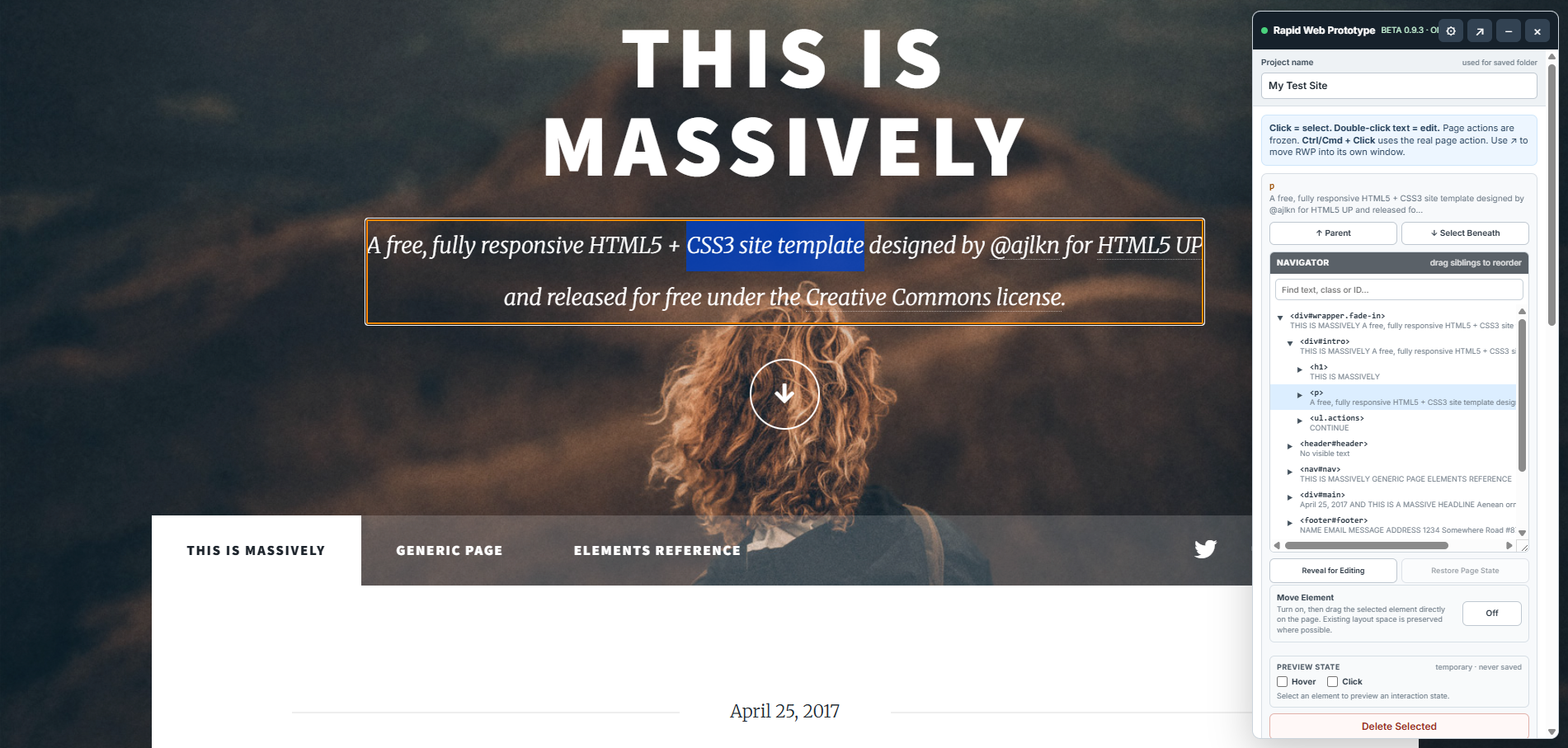
Highlight the words in the Text field under Content & Typography, click the Link button between Underline and the list controls, enter the URL, choose Open in new window if needed, then Apply.
Select the existing linked text on the webpage. The Edit Existing Link controls show its current destination and whether it opens in a new window.
Use + Image or + Video to insert media, or select existing media to edit it.
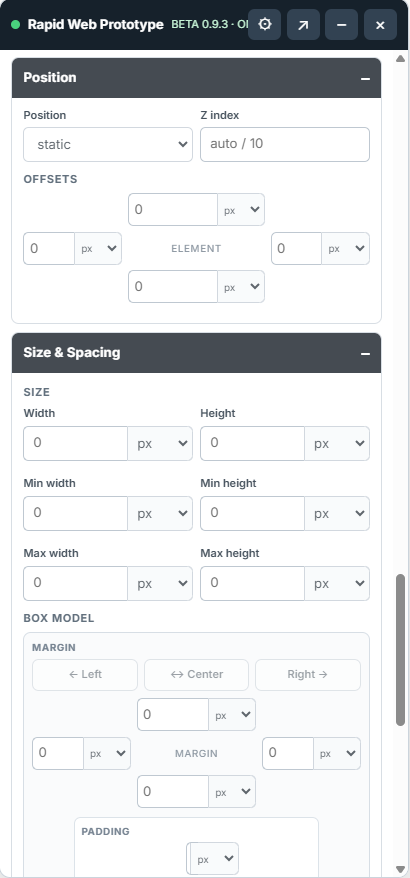
RWP exposes common layout controls so you can see the result immediately on the original page.
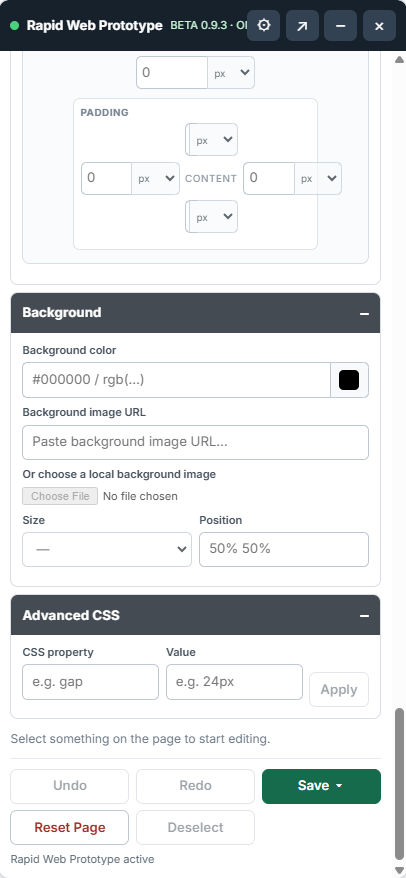
Use the Background section for common visual changes. When the property you need is not exposed elsewhere, use Advanced CSS.
Preview State lets you temporarily preview Hover or Click states for the selected element. These preview states are never saved.
While RWP is ON, normal page actions are generally frozen so a click selects instead of navigating away. Use Ctrl/Cmd + Click when you intentionally want to trigger the page's real action.
Save uses one workflow for a single-page or multipage prototype. Give the project and page a name; additional pages can be saved into the same project folder.
Original live-site navigation links are neutralized in saved prototypes. Links you deliberately create or edit in RWP, including links between local prototype pages, are preserved.
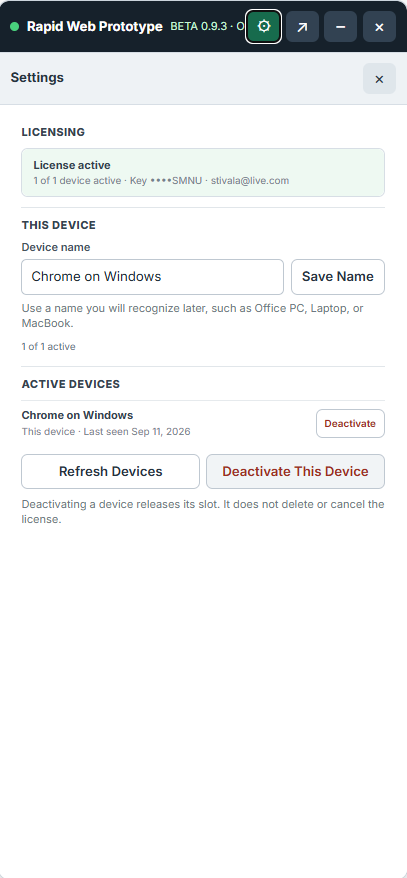
Open Settings from the cog in the RWP top bar. Version information, licensing, device management and resource links are kept separate from webpage editing.
Websites can be built in many different ways. RWP is designed around accessible webpage elements rather than every possible application architecture.
These limitations are about how the original website exposes its interface to the browser. They do not prevent RWP from working with standard DOM-based pages and components.
Rapid Web Prototyper was built to solve a real design workflow problem, and feedback from the people using it helps shape what comes next.
Need help or have a question?